
ChatGPT
OpenAIProductivity
4.8206.25K Reviews
- Version
- 1.2026.293
- Installs
- 1.00B
- Age Rating
- Teen
Screenshots

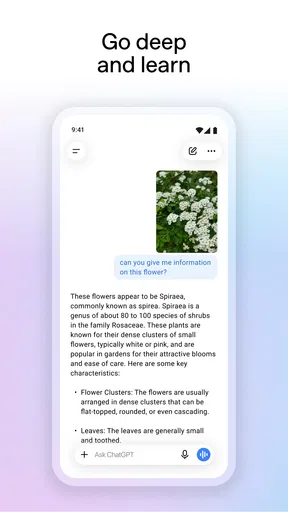
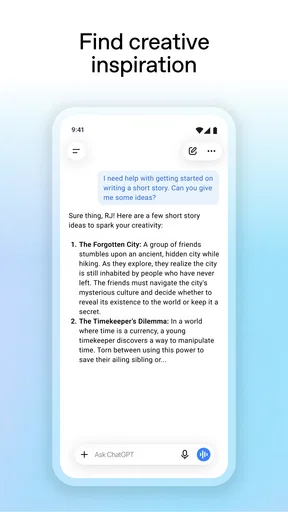
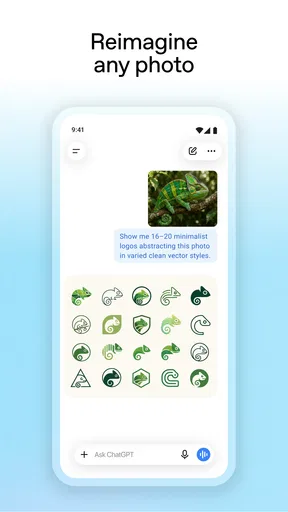
Our Review of ChatGPT
 Analysis by Appyee
I started using ChatGPT for small household questions rather than treating it like a replacement for a search engine or a person. It can help turn a half-formed thought into a useful next step: suggest a dinner from ingredients on hand, explain a confusing school topic in simpler language, or help draft a polite message to a landlord. I find it most useful when I give it enough context to work with and then check whether the answer fits real life.
A shared device makes the boundaries matter
In a busy home, one phone or tablet may pass between adults and teenagers, and an open chat can look like a shared notebook. I would not treat it as a household account or a place to leave private information for everyone to see. Before handing over a device, I’d close conversations I don’t want someone else reading and make sure the next person understands that their questions may become part of the same on-screen history. That simple habit is more reliable than assuming the app will organize a family’s conversations for them.
This also affects what I ask. A family member looking for help wording a sensitive message should avoid entering identifying details that are not needed to get a useful draft. A general prompt such as “Help me write a calm note asking to reschedule an appointment” can do the job without turning a private situation into a detailed record on a shared screen. For me, the practical rule is to share only the context needed for the task, especially when the device is not exclusively mine.
Set expectations before anyone starts asking
OpenAI’s official productivity app is free to install, with in-app purchases offered at different prices. That makes it easy to try, but I would still explain to other household users that access to the app does not mean every answer is dependable or appropriate for every decision. It can help with a first draft, an explanation, or a list of possibilities; it should not be the final authority on medical, financial, legal, or safety matters.
One useful boundary is to decide what counts as a good answer before relying on one. If it suggests a recipe, check ingredients and cooking instructions. If it explains a homework concept, ask for an example and compare it with the class materials. If it drafts a message, read it aloud before sending so that it still sounds like the person who will send it. I find that this small review step catches awkward assumptions and prevents fluent wording from being mistaken for certainty.
Coordinate around the task, not the chat window
For household planning, I get better results when I ask for a concrete deliverable rather than a vague conversation. “Make a short checklist for getting ready for a rainy day trip with two children” is easier to use than “Help us plan.” I can then ask for the list to be grouped by person or by time, and copy the useful parts into the calendar or notes app the household already uses. The chat is good for shaping ideas; the shared calendar remains the better place for everyone to see the final plan.
That distinction matters because conversational answers are not automatically a coordination system. If one person asks for meal ideas, the rest of the household will not necessarily know which recipe was chosen or who is buying the ingredients. I would use the app to generate options, agree on one together, and move the decision into the place the family actually checks. This keeps an interesting answer from becoming an overlooked plan buried in a conversation.
Teen use calls for a little guidance
The app is rated for teens, so I would frame it as a tool to think with rather than a source to obey. For schoolwork, that can mean asking it to explain a difficult paragraph, create practice questions, or point out where an argument needs clearer support. It is less helpful if the goal is simply to submit an answer without understanding it. A teen who compares the response with a textbook or teacher’s instructions will get more lasting value than one who copies the first reply.
I would also talk through the difference between a confident tone and a verified fact. When a response includes a claim that matters, ask where it can be checked and confirm it using a suitable source. For creative brainstorming, a mistaken detail may be easy to fix; for health advice or an urgent concern, it is not the right tool to make the decision. This is not a reason to avoid the app, but a reason to match the task to the level of trust it deserves.
Who benefits most, and who may prefer another tool
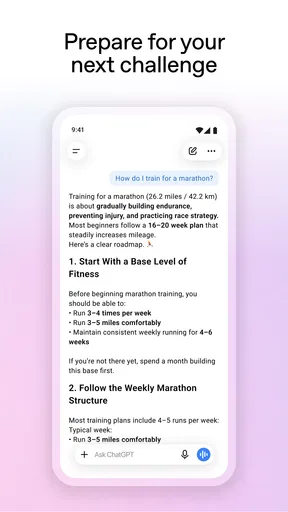
I think it suits people who often need a starting point: a student trying to understand a topic, a home cook adapting a meal, or someone who wants to make a rough email clearer. It is especially handy when the question is not yet polished. You can describe the situation in ordinary language, see what it gives back, and refine the request instead of having to search for exactly the right keywords.
For a current opening time, a nearby service, or a precise local rule, a conventional search or an official source is usually a better first stop. Search results can make it easier to inspect where a claim came from, while a conversational reply may need fact-checking. For fixed household records, a notes app, spreadsheet, or calendar is more dependable because those tools are designed to store and display information in a predictable way. I use the chat to help think, not as the only place to keep something the family must remember.
It may also be a poor fit for someone who wants every response to be sourced, consistent, and ready to use without review. The app can misunderstand a request, repeat itself, or produce an answer that sounds plausible but misses a key detail. When precision is essential, I would rather consult a qualified person or an authoritative reference than keep prompting until the reply sounds reassuring.
ChatGPT is a productivity app from OpenAI, and its scale is striking: it has an average rating of 4.8 from around 34 million ratings, with over 500 million installs. Those figures tell me it is widely used, but they do not tell me whether a particular answer is right for my household. I judge it by whether it saves time on a specific task and whether I can sensibly check what it produces.
The app is free to download, while in-app purchases range from $19.99 to $200.00 per item. I would begin with the free experience and see whether it fits my routine before paying for anything. The app launched on July 21, 2023, and its current version is 1.2025.350; it requires Android 7.0 or later. Those details are useful when checking compatibility, especially on an older device used by more than one person.
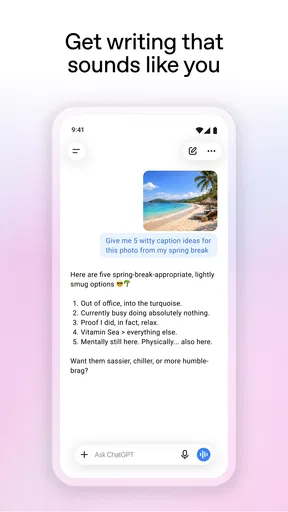
When I want a better result, I treat the conversation as a sequence of edits rather than expecting one perfect prompt. I’ll say what audience the answer is for, what tone I want, and what it should leave out. For instance, a household message can be requested as brief, friendly, and clear about a time change. Then I read the draft and correct details myself. This works well because the app can reshape language quickly, but I remain responsible for whether the final wording is accurate and considerate.
It can also help turn a large task into manageable pieces. If I’m organizing a weekend clean-up, I can ask for a first-pass checklist, then request a version divided into short jobs that can be done in different rooms. I would not assume the proposed order is automatically practical; I’d adjust it for the home and the people doing the work. The useful part is reducing the blank-page problem, not handing over the decisions.
For learning, one of my preferred approaches is to ask for an explanation at two levels: first a plain-language version, then a more precise one with an example. That makes it easier to spot what I understand and what I need to ask about. A student can also request practice questions without asking for completed homework. The trade-off is that the explanation still needs comparison with class materials, since an elegant example can simplify a topic too much or leave out an important exception.
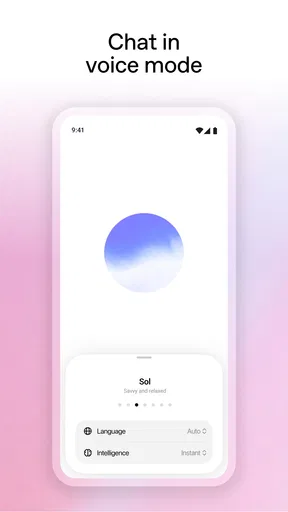
Voice can make a conversation feel more natural in situations where typing is awkward, but I would still consider the setting. Reading or speaking a question aloud in a shared room may expose something better kept private. On a crowded commute, a typed prompt might be more discreet; at home, voice may be convenient for hands-busy brainstorming. The best method depends less on novelty than on who can hear or see the exchange.
Another practical habit is to avoid putting several unrelated requests into one long prompt. If I mix dinner planning, a school explanation, and an email draft, it becomes harder to tell which assumptions belong to which task. Separate conversations or clearly labeled requests make the output easier to review. Before relying on a response later, I also copy the final decision into the household’s usual planning tool rather than expecting everyone to locate it in the chat.
ChatGPT is available for iOS as well as Android, so it can fit into a household where people use different mobile platforms. That convenience should not be confused with a shared family workspace. I would check whose account is signed in before letting someone else use the device, and avoid leaving a session open if the next person should not see earlier exchanges. Each household can set a simple routine around handoffs without pretending the app is a family organizer.
There is a difference between using the app for companionship-like conversation and relying on actual support from people. The original appeal of an always-available conversational partner can be comforting for brainstorming or passing time, but I keep that role in perspective. If someone needs empathy, accountability, or help during a serious personal problem, a trusted person is the better choice. A responsive tool can help someone put thoughts into words, yet it cannot take the place of a relationship or professional care.
What’s the Buzz About?
Imagine having a buddy who’s available 24/7, never gets tired of your questions, and always has something interesting to say. That’s ChatGPT for you. It’s an AI-powered chat app that’s designed to be your go-to source for information, entertainment, and even a bit of fun. You can ask it literally anything—from the weather forecast to the meaning of life (no promises on the answers, though!).
Features That Stand Out
One of the first things you’ll notice is how intuitive the interface is. It’s clean, straightforward, and doesn’t bombard you with unnecessary options. Just open the app, type your question or message, and voilà! You’re in a conversation. The app is also incredibly fast, which is a big plus in our fast-paced world.
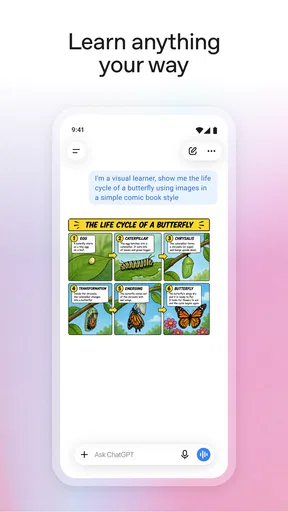
Another feature worth mentioning is its versatility. Whether you’re looking for a recipe, need help with homework, or just want to chat, ChatGPT has you covered. It’s like having a Swiss Army knife in app form. Plus, it’s continually learning and updating, so it only gets better over time.
Is It All Sunshine and Rainbows?
While I’ve had a blast using the app, it’s not without its quirks. Sometimes, the responses can be a bit off-kilter or repetitive, but hey, even humans have off days, right? It’s a small price to pay for having such a handy tool at your fingertips.
Also, while ChatGPT is super handy, it’s not a replacement for real human interaction. It’s a tool, not a buddy, so keep that in mind if you find yourself chatting with it into the wee hours of the night!
Wrapping It Up
So, there you have it—my take on the app. Whether you’re a tech aficionado or just someone looking for a neat app to try, it’s definitely worth checking out. It’s like having a little piece of the future right in your pocket. Give it a whirl, and you might just find yourself wondering how you ever got by without it. Happy chatting!
Privacy and Permissions
See what permissions an app requests and how it handles your data.
- Calendar
- read calendar events plus confidential information, add or modify calendar events and send email to guests without owners' knowledge
- Contacts
- read your contacts
- Location
- approximate location (network-based), precise location (GPS and network-based)
- SMS
- send SMS messages
- Phone
- read phone status and identity
- Camera
- take pictures and videos
- Microphone
- record audio
- Wi-Fi connection information
- view Wi-Fi connections
- Device ID & call information
- read phone status and identity
- Other
- view network connections, pair with Bluetooth devices, change network connectivity, full network access, change your audio settings, control Near Field Communication, run at startup, control vibration, prevent device from sleeping, set an alarm
How ChatGPT Compares
Full ComparisonChoose Google Assistant for voice commands and smart-home control, ChatGPT for flexible conversation and creation, or Perplexity for answers designed to be grounded in sources.
| App | Developer | Rating | Price |
|---|---|---|---|
 Google Assistant | Google LLC | 3.9 | Free |
 ChatGPTThis App | OpenAI | 4.8 | Free |
 Perplexity - Ask Anything | PerplexityAI | 4.6 | Free |
Verdict
Strengths of ChatGPT
- Intuitive interface for easy navigation.
- Quick response time to queries.
- Wide range of conversation topics.
- Consistently updated with new features.
- Available on multiple platforms.
Limitations of ChatGPT
- Requires internet connection to function.
- May occasionally give incorrect information.
- Limited personalization options.
- No voice interaction capabilities.
- Can be overwhelming for new users.
Other Releases by OpenAI
View All
Sora by OpenAI
Social4.6
Similar Picks in This Category
View All
Google Calendar
Google LLC4.6

Google Drive
Google LLC4.3

Google Assistant
Google LLC3.9

Microsoft OneDrive
Microsoft Corporation4.6

Samsung Calendar
Samsung Electronics Co., Ltd.4.1

Microsoft OneNote: Save Notes
Microsoft Corporation4.6
Frequently Asked Questions
What is ChatGPT and how does it work?
ChatGPT is an AI-powered conversational model developed by OpenAI. It processes and generates human-like responses to text inputs by understanding context and language patterns. This makes it versatile for tasks like answering questions, providing recommendations, and engaging in natural conversations. Users can interact with it through various platforms for a wide range of applications.
Is ChatGPT free to use, and are there any subscription options?
ChatGPT offers both free and subscription-based access. The free version allows users to experience its basic features, while the subscription, known as ChatGPT Plus, provides enhanced service with faster response times and priority access during high traffic. Subscription fees contribute to the development and maintenance of the service.
What platforms is ChatGPT available on, and how can I access it?
ChatGPT is accessible through web browsers, and dedicated apps are available for both Android and iOS devices. Users can download the app from the Google Play Store or the Apple App Store. Additionally, it can be integrated into third-party applications via API, offering flexibility in how it can be used.
How does ChatGPT ensure user privacy and data security?
ChatGPT is designed with user privacy in mind. OpenAI implements strict security measures to protect user data, and interactions are typically not stored permanently. Users should review the privacy policy for detailed information on data handling practices and any specific measures taken to safeguard personal information.
Can ChatGPT understand and generate responses in multiple languages?
Yes, ChatGPT is capable of understanding and generating responses in multiple languages. While its primary language is English, it can handle various other languages to differing extents. However, the quality and accuracy of responses might vary depending on the language and complexity of the queries.
